Lego Flower
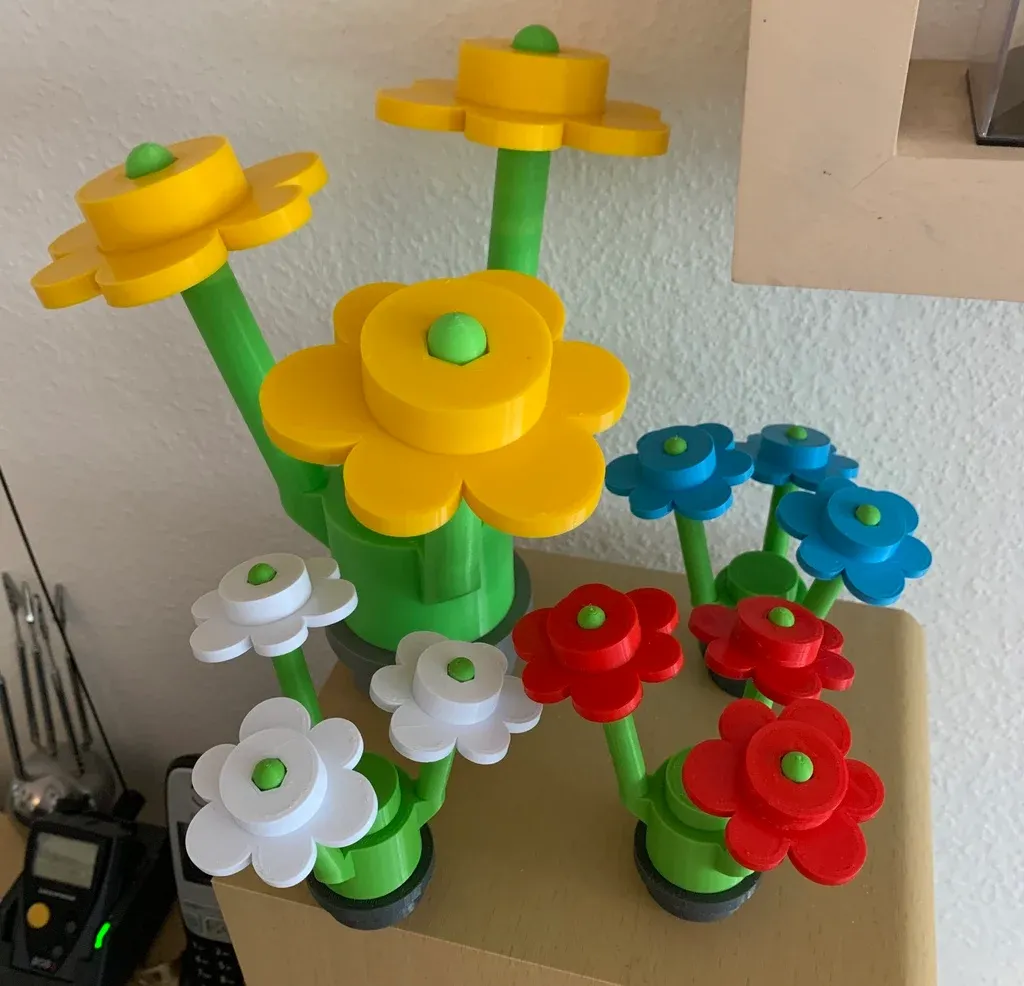
Print a Lego-compatible flower in three colors, and pick up the AMS, multi-material printing, and supports on the way. Consider it a welcome gift from the Fab Lab team.
Read this first: the FDM 3D Printer (Bambu Lab X1 Carbon) manual, especially Loading filament into the AMS and Slicer settings. This learning activity assumes both.
The learning activity
Section titled “The learning activity”Download three files from this Thingiverse model:
Flower_Head.stlFlower_Base_v2.stl1x1_plate_round_open.stl
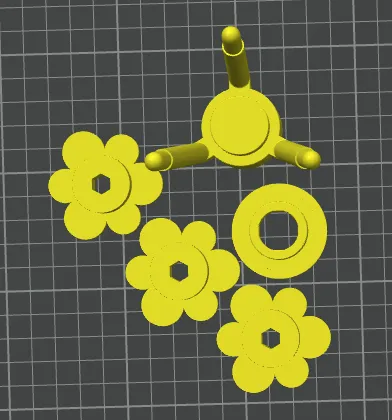
Print all of it on one plate, in three different colors. What you’re aiming for:
- Three flower heads, not one. Select the head, right-click it, choose Clone, and set it to make 2 copies.
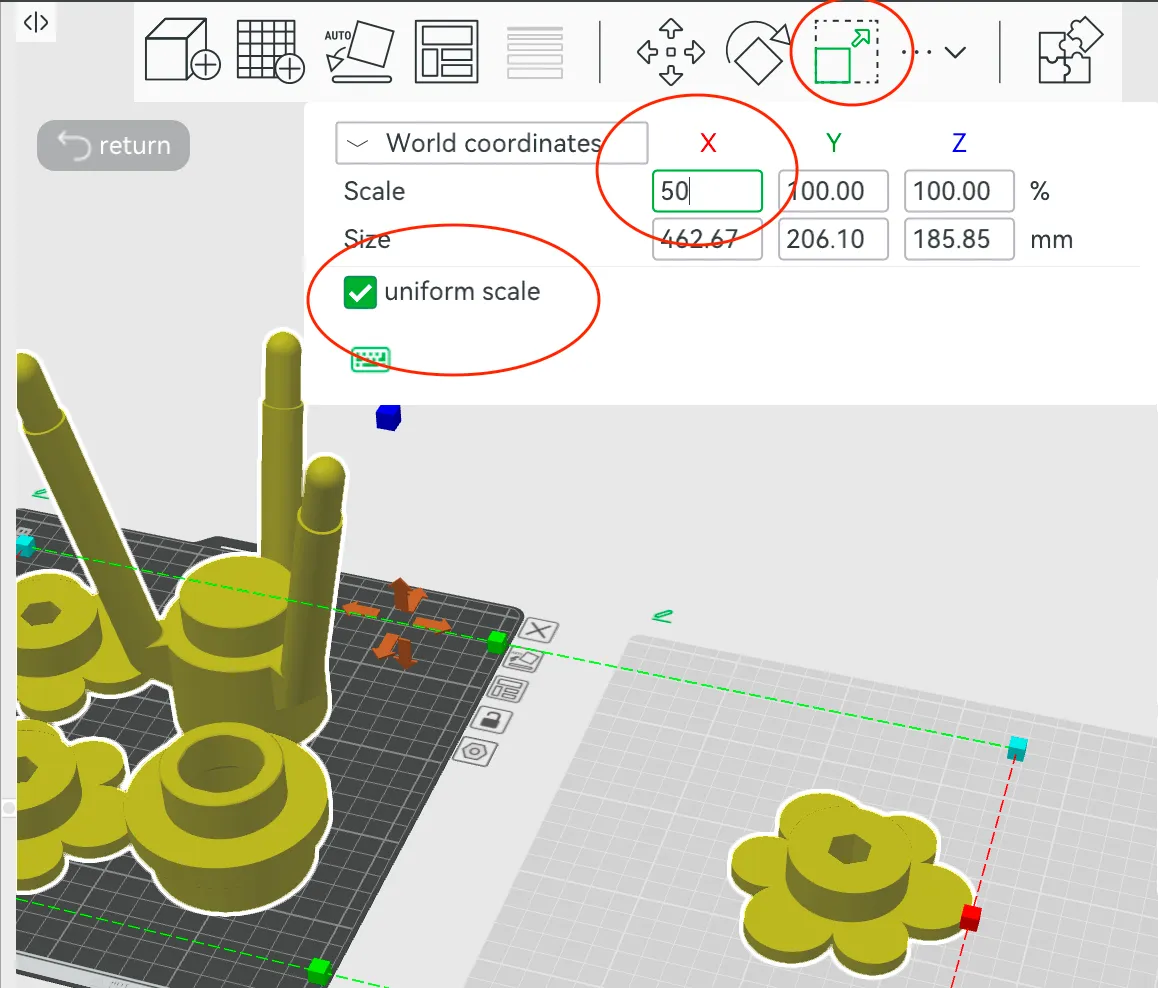
- Everything on a single plate. At full size the five parts won’t fit together, and this is a practice print — don’t spend a spool on it. Select them all, click Scale, keep uniform scale ticked, and set the scale to 25%.
- Three filaments assigned — say a green stem and base, red petals, and a white stud. Use whatever colors the AMS actually has; the point is that the slicer knows which part comes from which slot.
- Support enabled at a 45° threshold. The base has overhangs inside and out.
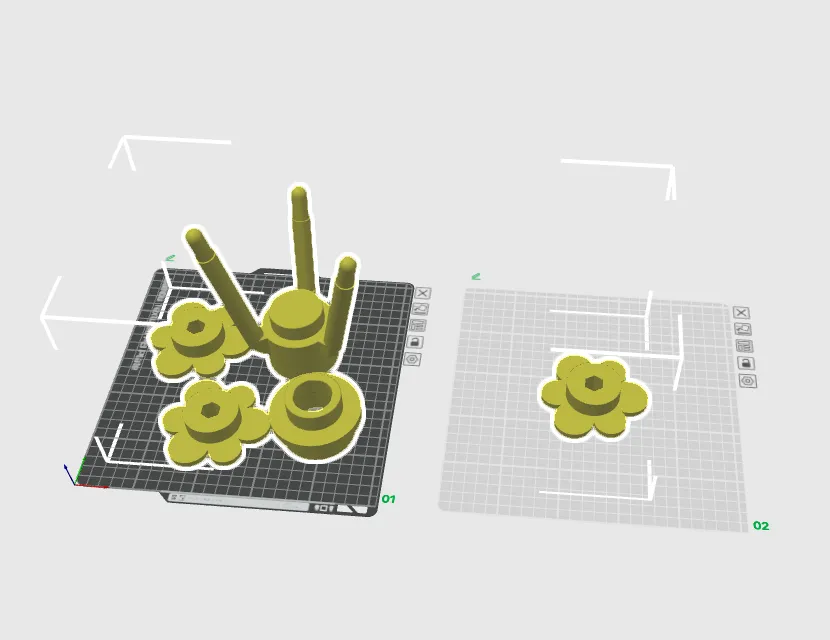
- On import, Bambu Studio asks whether to load the files as a single object with multiple parts. Answer No. Answering Yes welds them together and makes assigning separate filaments much harder.
- Re-run Arrange after cloning and again after scaling. Parts that overlap won’t slice.
- Slice the base once with support off and once with it on, and compare the previews. This printer will very likely manage those overhangs unsupported — seeing that for yourself is more useful than taking the manual’s word for it.
- Three filaments means a purge tower. It’s a chunk of wasted plastic sitting next to your parts, and it’s supposed to be there. You could avoid it by printing each color as a separate plate, but then you’d skip the multi-material half of the exercise.
When the print finishes, follow Finishing up in the manual — cool the plate, pop the parts off, clear the purge tower and the excess chute, and take your flower with you.
Comments
Something on this page wrong, missing, or not matching the machine in front of you? Say so here — comments are public and staff read them. Posting needs a free GitHub account, the same one the Edit page flow uses; if you already know the fix, editing the page is the faster route. Comments are readers talking to each other, not checked instructions — for anything urgent or safety-related, ask staff in the lab or on Discord.