Chess Piece
Print one ornate chess piece in resin, and go through the whole SLA loop once — hollowing, supports, printing, washing, drying, and curing — on a part small enough that a mistake costs you an hour rather than an evening.
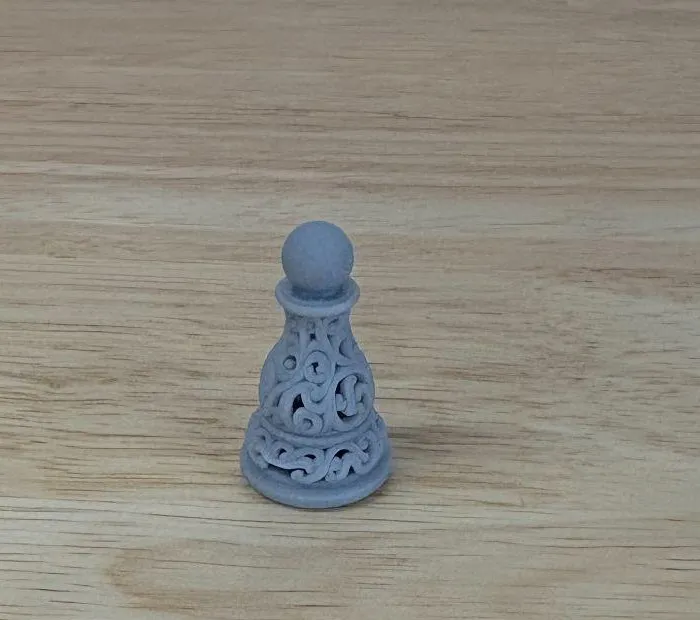
That scrollwork is the point. Print the same model on a filament printer and most of it disappears into the layer lines.
Read this first: the Resin 3D Printer (Elegoo Saturn 4 Ultra 16K) manual, especially Slicing in SatelLite, and then the Wash and Cure Station manual. This activity assumes both, and the second one is where half the work is.
The activity
Section titled “The activity”Pick a piece and download it:
Pawn · Rook · Knight · Bishop · Queen · King
Start with the pawn if you’re not sure — it’s the shortest print of the six.
Then take it through SatelLite and the printer. What you’re aiming for:
- Sitting flat on the plate. Import it, select it, right-click, On Plate.
- Hollowed to a 2 mm wall. These pieces are solid models; printed as-is one piece would drink resin for no benefit.
- A drain hole somewhere in the base, so the resin trapped inside the hollow can get out.
- Automatic supports, with Generate Internal Support for Shell ticked. The hollow needs supports inside it as well as under it.
- A slice you have actually looked at — step through the layer slider and check the supports reach the overhangs and the first layers form a solid raft.
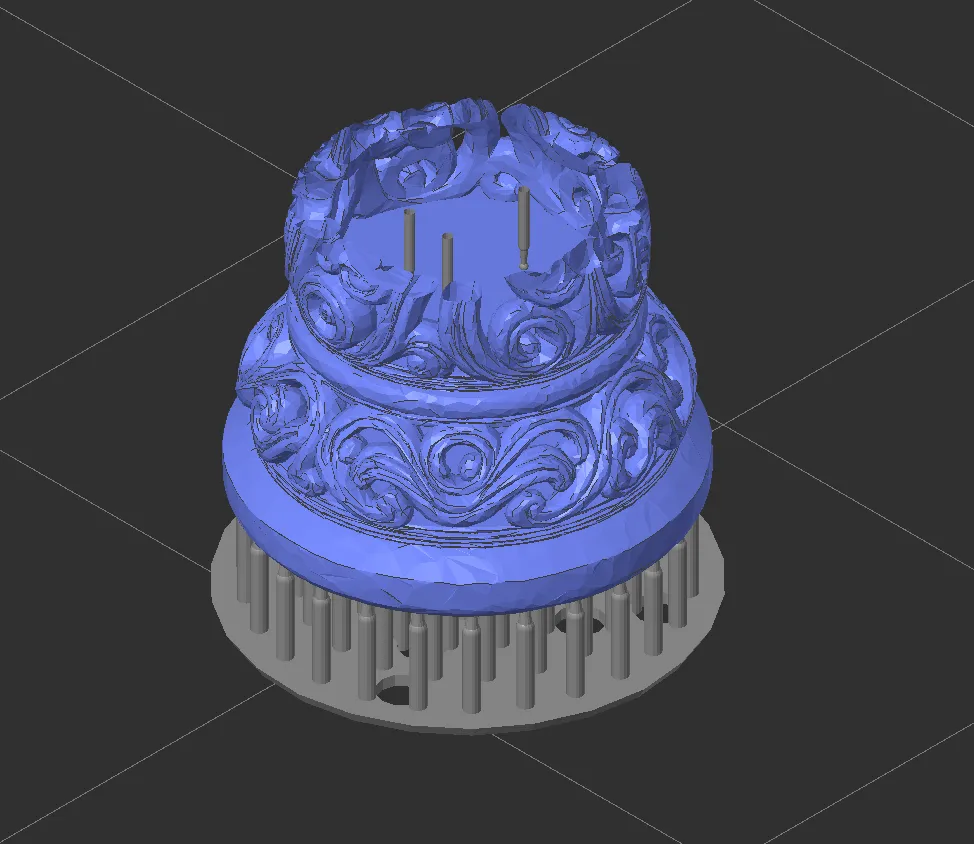
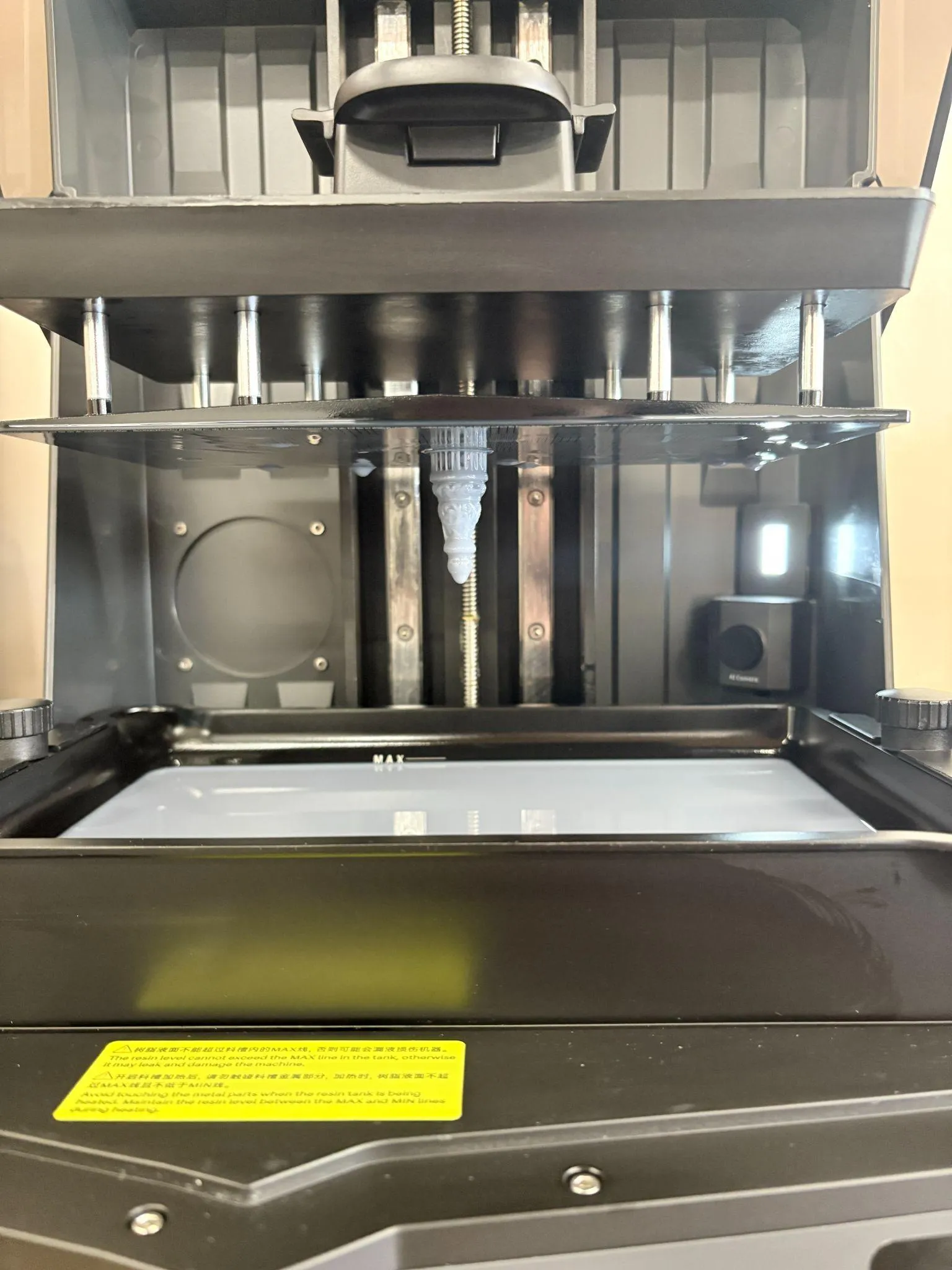
Then print it, and finish it properly: wash, dry, pull the supports off while it’s still soft, and cure. Sand and paint it afterwards if you like.
- Check the Project panel before you do anything else. It should say ELEGOO Saturn 4 Ultra 16K and Grey Standard 2.0. Half of all failed first prints are somebody slicing for the wrong machine.
- Change the baseboard settings described in the note in the manual before you slice. The stock raft is thick enough that getting the piece off the plate becomes a fight, and fighting a chess piece with a scraper usually ends with a broken chess piece.
- Slice it once without hollowing, just to look at the resin volume, then hollow it and slice again. Seeing the two numbers next to each other explains why anyone bothers.
- Height is the whole cost. If you want a second piece later, printing both together takes barely longer than printing the taller one alone — the screen cures a whole layer at once.
- Don’t cure it wet. The most common way this activity ends in a disappointing-looking pawn is curing before the alcohol has fully evaporated.